Fast, controlled onboarding
Move hundreds of products without rebuilding the catalog by hand
What does this LuniOps workflow do?
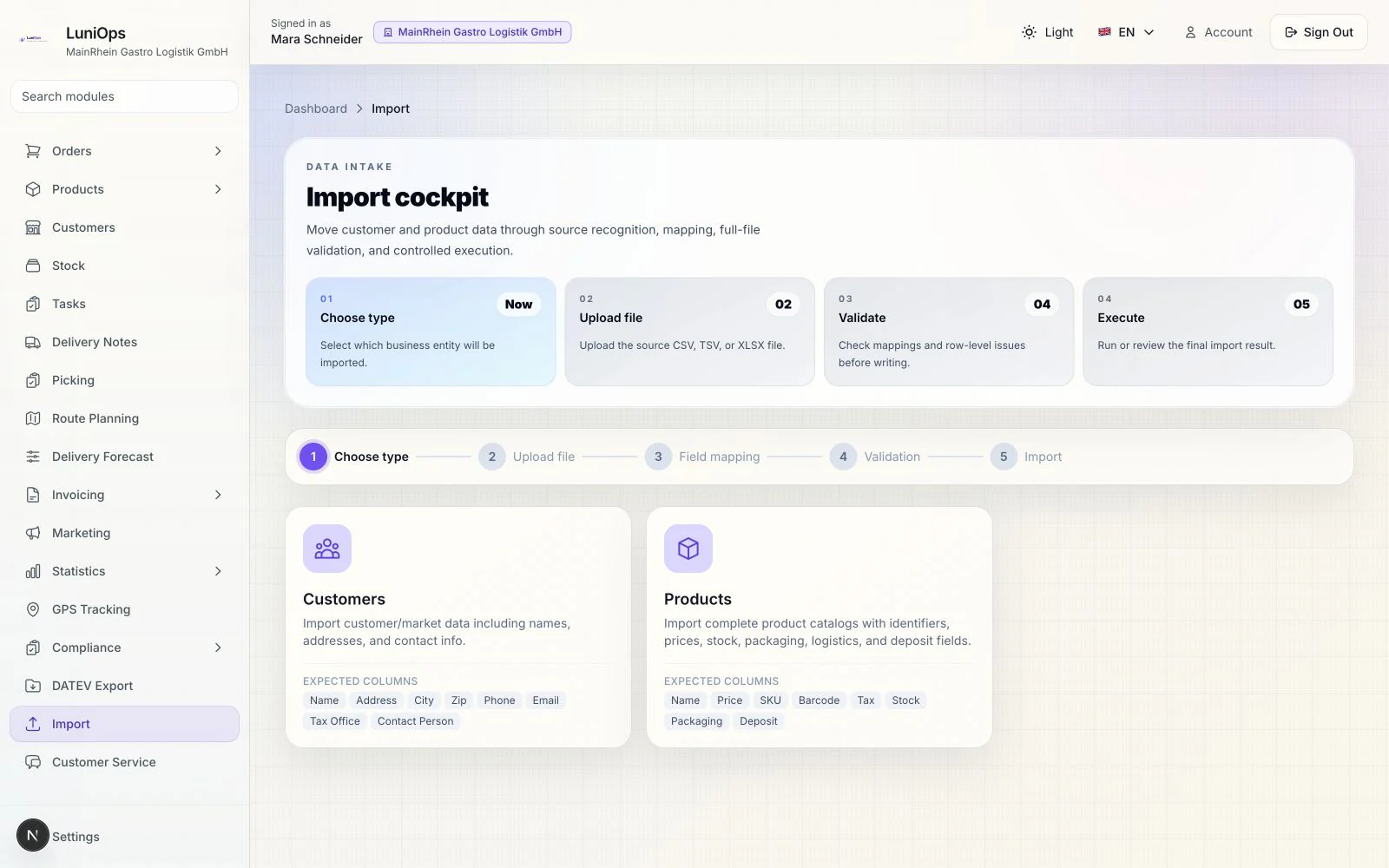
Bring common German accounting and ERP exports into LuniOps, review every mapping, and validate the complete file before anything is written. A guided file import for Lexware Office, sevdesk, common weclapp/Xentral-style exports, and custom spreadsheets — not a claimed live integration.
Updated Published by OzyCore GmbH
Recognize the source
LuniOps can recognize common product headers and German number formats while still allowing a generic CSV or Excel file.
Map wholesale data
Names, identifiers, prices, tax, stock, packaging, cold-chain, pallet, and deposit fields remain visible and reviewable.
Write only after checks
The complete file is validated, duplicates are separated by stable identifiers, and a completed import can be rolled back.
What makes a large catalog import practical
The workflow focuses on preventing rework and silent data loss while keeping every mapping reviewable.
Keep the original export
Upload CSV, TSV, or XLSX without manually renaming every column first.
Handle German formats
Values such as 1.234,56 €, percentages, common units, and legacy Windows-1252 text are normalized safely.
Cover distribution fields
Barcode, SKU, stock, packaging, pallet demand, temperature class, expiry decision, and deposit data can travel with the product.
Stay reversible
Preview, row-level feedback, duplicate counts, audit history, and rollback reduce migration risk.
Typical catalog import
- 1Select products and choose automatic source recognition or a matching export style.
- 2Upload the file and review the detected columns.
- 3Confirm required and optional field mappings, then validate the complete file.
- 4Import clean rows, review duplicate and skipped counts, or roll the import back.
Is this a live Lexware, sevdesk, weclapp, or Xentral integration?
No. It is a guided file import optimized for common export headers. A live API connection is not implied.
Can beverage and deposit data be imported?
Yes. Product type, approved tax rate, expiry decision, and a deposit mapping can be included and checked before import.
What happens to duplicate products?
Stable identifiers such as SKU, product number, article number, and barcode are checked first; duplicates are reported and skipped.
Related feature pages
Review this workflow live
See how this LuniOps capability fits your orders, deliveries, customers, and invoicing workflow.
Request a demo