Web, macOS, iPhone, iPad, and customer portal
Platform Features
Which processes does LuniOps cover?
LuniOps brings the operating functions of a food wholesaler into one connected workflow: capturing orders, managing products and stock, picking goods, coordinating routes and deliveries, documenting delivery notes, preparing invoices, and involving customers through a portal. Role-based access is available across web, macOS, iPhone, and iPad.
Updated Published by OzyCore GmbH
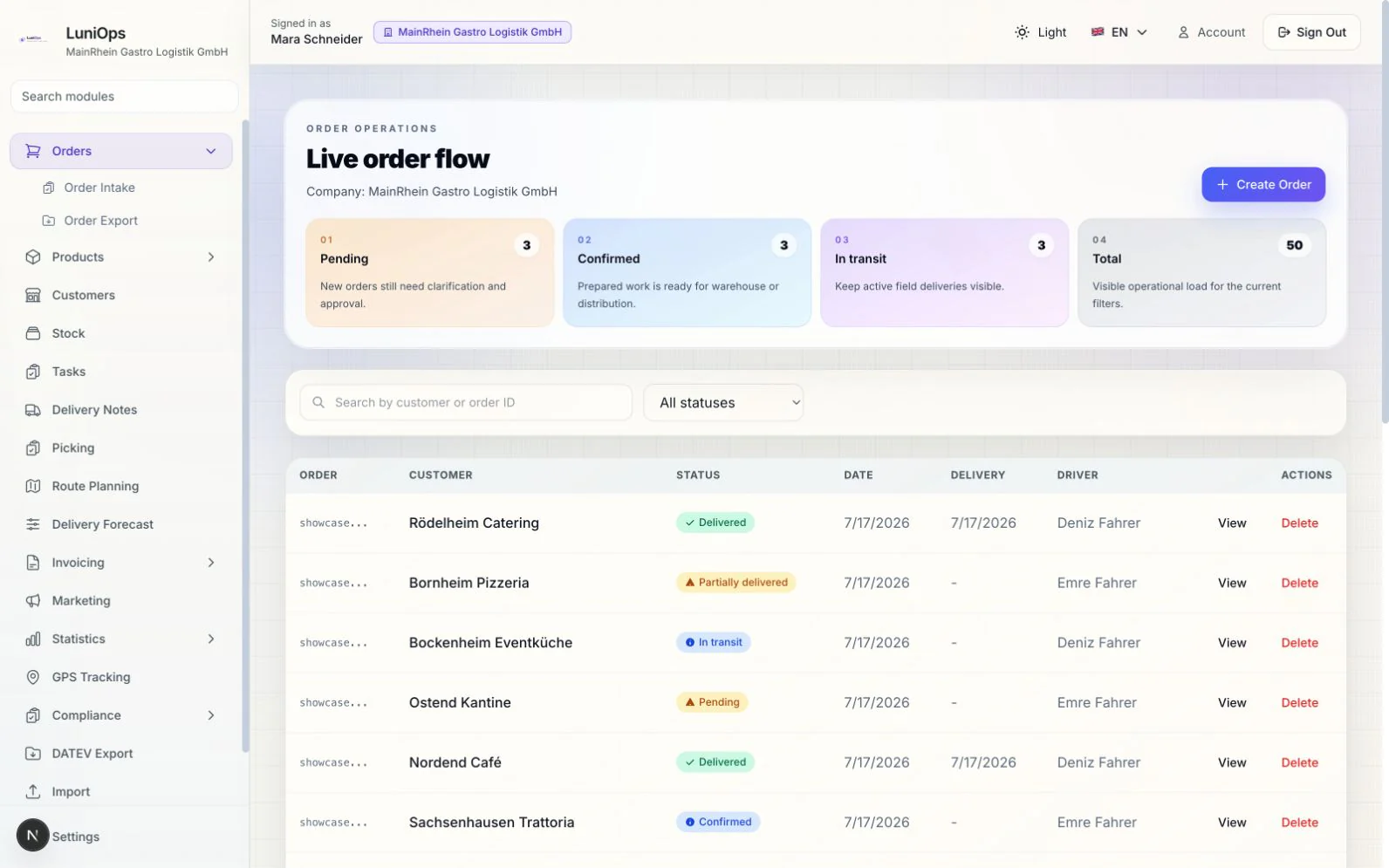
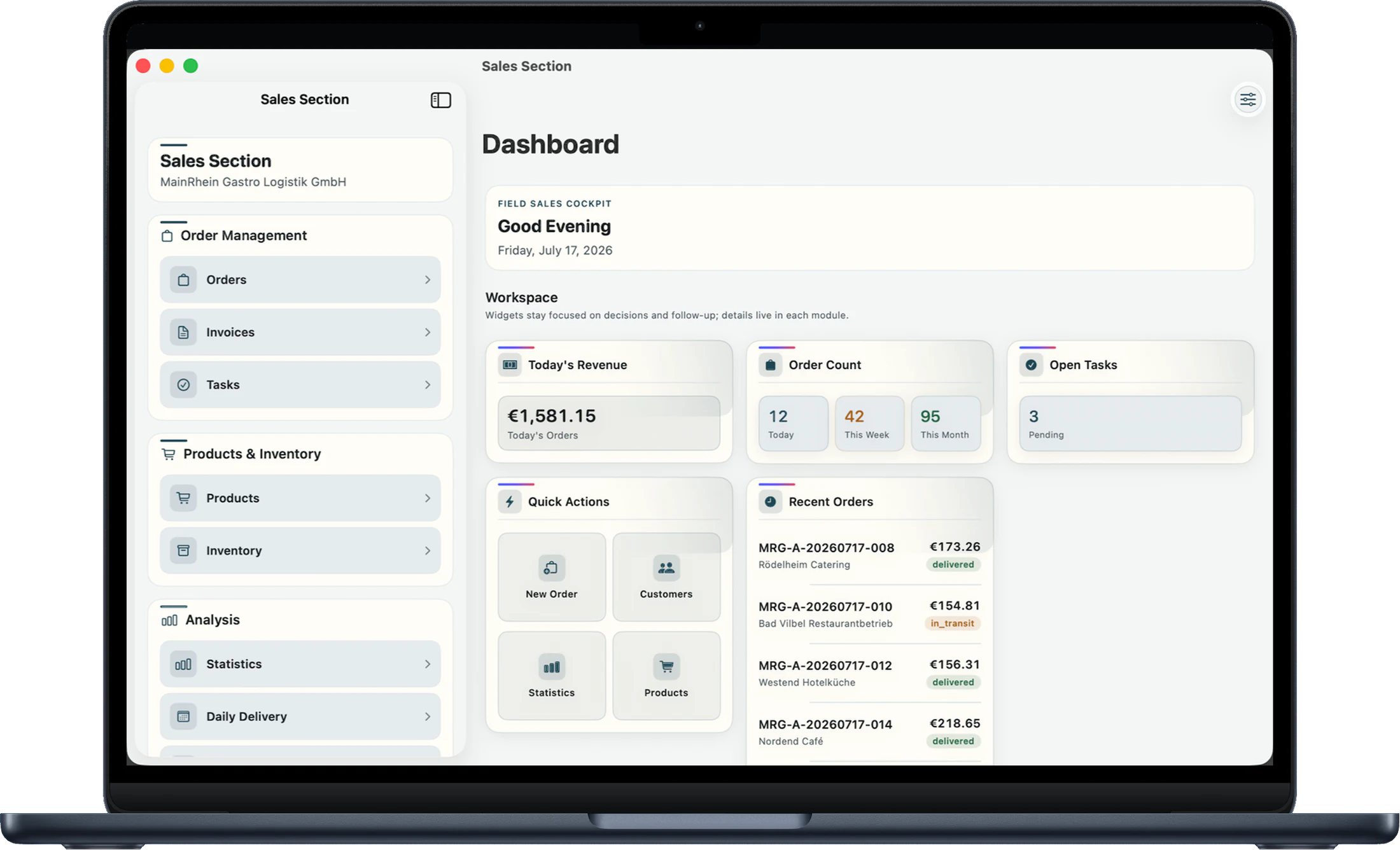
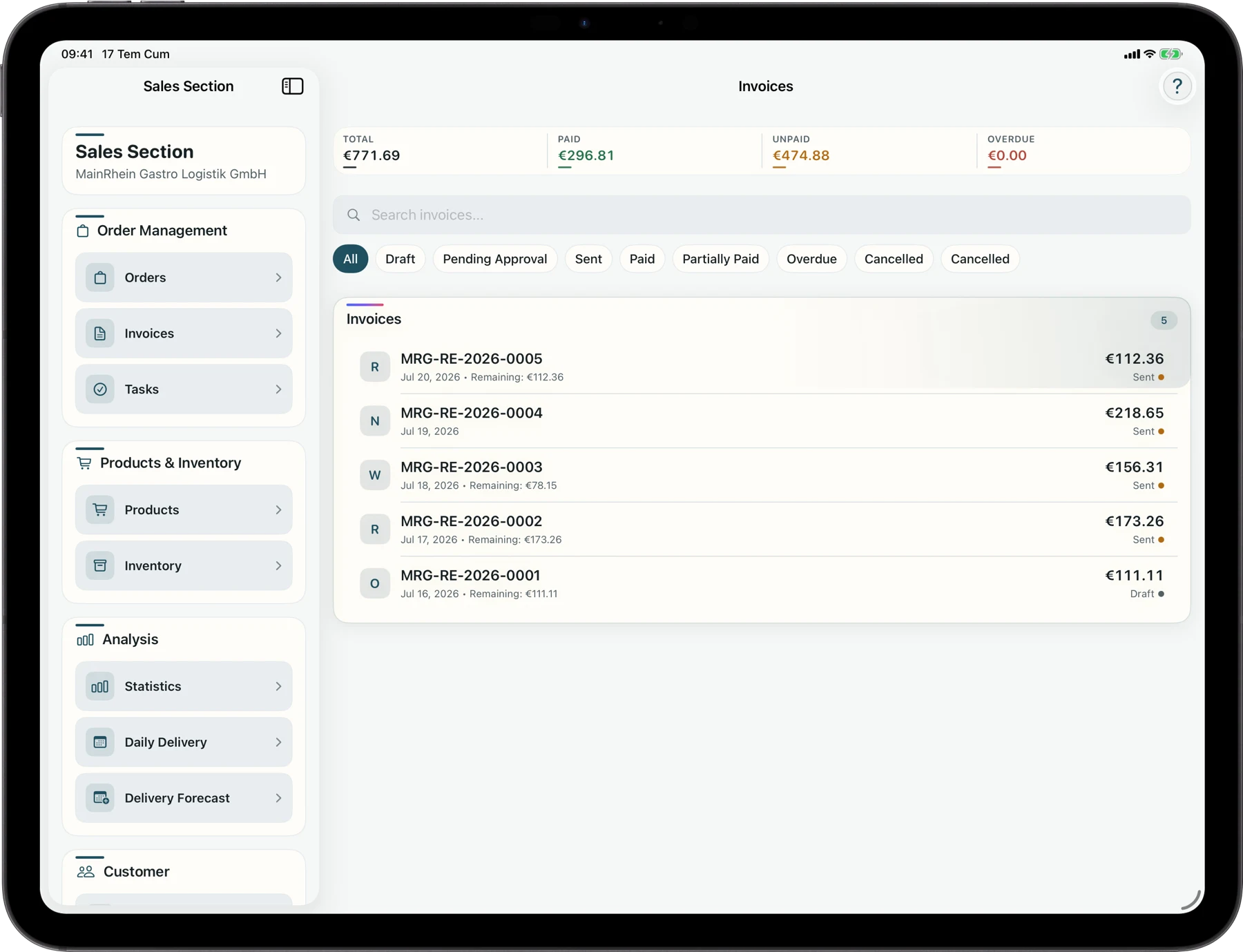
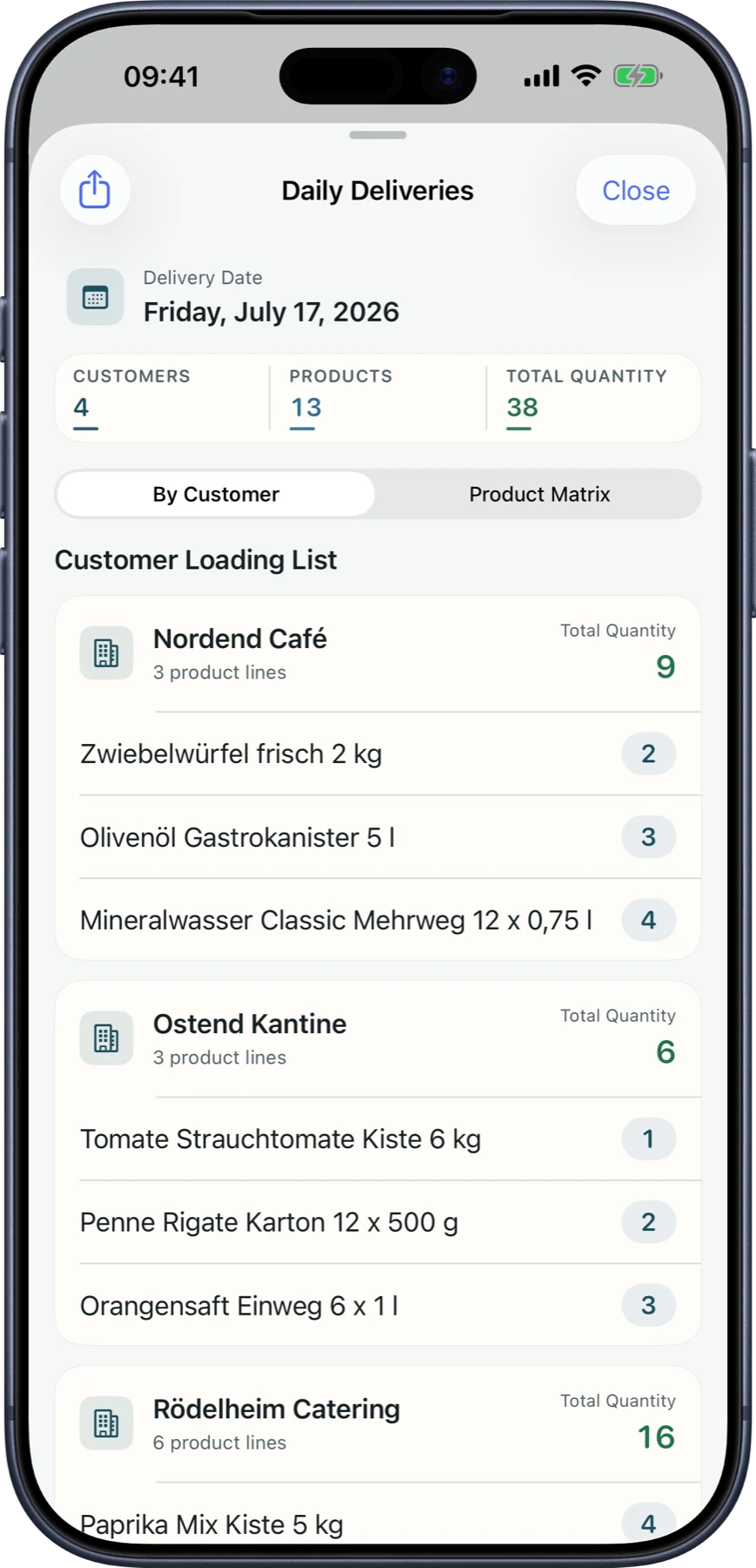
Web, macOS, iPhone, and iPad — one shared data layer
The web app keeps office, dispatch, and accounting productive in the browser, while macOS, iPhone, and iPad carry the same workflows across desk, warehouse, and route.

Native Android and Windows apps are in preparation. On Windows, LuniOps is already available today through the browser-based web app.
Operational core
Order to delivery note
Orders, products, prices, stock, delivery status, and proof records stay connected in one workflow.
Desktop and mobile apps
macOS, iPhone, and iPad for operations teams
Office, warehouse, field sales, and drivers use the same approved workflows from the Apple device that fits their work.
Customer self-service
Self-service instead of follow-up
Portal, order status, invoices, and delivery information create useful entry points for customers.
Core Modules
Order Management
Never lose track of an order. Manage the full lifecycle from request to delivery with real-time status tracking, bulk updates, and smart filtering.
Stock Management
Know exactly what you have in stock. Automatic reservations, low-stock alerts, and cost tracking across food, beverages, dairy, meat, and frozen categories.
Product Catalog & Pricing
Manage product identifiers, customer-specific pricing, units, packaging, tax decisions, cold-chain data, and deposit rules in one catalog.
Picking & Loading
Turn approved orders into clear pick and load work with barcode checks, lots, quantities, and delivery readiness.
Customer Management
Build stronger customer relationships. Customer cards, order history, credit limits, location mapping, and visit planning — all tied to your distribution workflow.
Delivery & Logistics
Eliminate paper-based delivery notes. Digital notes with signature capture, PDF export, location logging, and route integration.
Invoicing
Invoice across regions without the headache. Supports KDV, MwSt, and general VAT templates with multilingual PDF generation.
GPS Tracking
Coordinate planned stops, driver assignments, delivery status, and permission-based location information on a shared map.
Task Management
Keep your team aligned. Assign visits, fridge deliveries, and payment collections with a Kanban board, comments, and deadline tracking.
Customer Activity
Track customer interactions and sales activities. Log visits, manage opportunities, and keep a clear record of every engagement in one place.
Statistics & Reports
Make data-driven decisions. Sales trends, product performance, customer analytics, profitability analysis, and risk detection at a glance.
Customer Portal
Give customers a self-service place to view relevant products and prices, place orders, and follow deliveries and invoices.
Guided Data Import
Bring customers and large product catalogs from CSV, TSV, or Excel through source recognition, field mapping, full-file validation, duplicate checks, and rollback.
SEO detail pages for the most important workflows
These pages explain order management, delivery notes, customer portal, DATEV/e-invoicing, route planning, and guided product catalog import in customer language.
Order management
A central order workflow reduces scattered messages, duplicate entry, and unclear ownership.
Digital delivery notes
Digital delivery notes connect drivers, office teams, customers, and invoicing in one traceable delivery process.
Customer portal
The portal gives customers one practical place to order, check status, find invoices, and track deliveries.
DATEV & e-invoicing
LuniOps supports the handoff from delivery to invoice and accounting without replacing legal or tax advice.
Route planning & GPS
Route planning and GPS create operational visibility as coordination support, not an unrealistic automation promise.
Route optimization software
Dispatch plans the tour, drivers run it on iPhone, and delivery, GPS, and best-before data flow back into orders and invoicing.
Product catalog import
A guided file import for Lexware Office, sevdesk, common weclapp/Xentral-style exports, and custom spreadsheets — not a claimed live integration.
Catalog, stock & returnables
A wholesale catalog carries the operational details needed after the product name — without turning daily work into spreadsheet maintenance.
Picking & loading
Picking and loading connect order accuracy with a departure-ready delivery plan.
Customers, sales & visits
The customer card becomes an operational workspace, not just an address book.
Invoices, payments & receivables
Operational and financial status stay connected while finalized records and external accounting responsibilities remain explicit.
Tasks, targets & reporting
Tasks make ownership visible; reports show what the completed work means for the operation.
Where each team gets daily value
Every capability is tied to a clear reason to use it: order, dispatch, deliver, verify, invoice, or avoid support calls.
Feature coverage across web, macOS, iPhone, and iPad
Core workflows are grouped by the outcome they deliver for sales, warehouse, delivery, finance, and customers.
Order, stock, and pricing logic
Customer-specific prices, reservations, status changes, and product data create a shared base for sales and warehouse teams.
Delivery execution with proof
Digital delivery notes, partial deliveries, returns, signatures, and revision paths reduce paperwork and follow-up.
Invoicing, e-invoicing, and DATEV handoff
Invoice data, VAT/KDV templates, ZUGFeRD/XRechnung building blocks, and DATEV export help with accounting handoff.
Customer portal for reordering
Customers can view relevant products, effective prices, orders, deliveries, and invoices in a self-service area.
Controlled access and traceable changes
Each company keeps its data separate, teams see only what they need, and sensitive changes remain traceable.
Guided onboarding and catalog import
Set up company, tax, team, and roles, then import customers and complete product catalogs with source recognition, mapping, full-file checks, duplicate protection, and rollback.
Connected services and handoff
Managed cloud services
Identity, operational data, documents, and notifications under deployment-specific controls
Maps and location services
Route planning, stop context, and permission-based location support
Multilingual Support
Localized core workflows for Turkish, English, and German across UI, invoice and delivery-note text, and notifications; country-specific document and tax templates are reviewed during pilot setup.
Is LuniOps only a web app?
No. LuniOps connects the web app, macOS, iPhone, iPad, and customer portal. Native Android and Windows apps are in preparation; on Windows, the web app is already available in the browser.
What can customers do without calling the office?
Customers can use the portal to see products, orders, invoices, and delivery status. This reduces follow-up and makes reordering more structured.
Does LuniOps support German invoice workflows?
LuniOps includes building blocks for VAT, ZUGFeRD/XRechnung, DATEV export, and traceable correction paths. Company-specific tax questions should still be reviewed with an accountant.
How are roles and access handled?
Access is controlled through plan, tenant modules, roles, and user-specific rights so teams see only the functions and data they need.
Can LuniOps import existing data?
Customers and complete product catalogs can be imported from CSV, TSV, or XLSX with source recognition, field mapping, full-file validation, duplicate checks, and rollback. Product stock can be included as a mapped catalog field.
Walk through the right workflows live
See which LuniOps workflows fit your food wholesale operation — from customer portal to accounting handoff.