Role-Based Permissions
Set access for each team member. Share customer, order and financial information according to their responsibilities and permissions.
For food wholesalers and distribution teams
Connect offers, orders, your warehouse and deliveries in one workflow. Give office, field and accounting teams the same information.
For business organizations · Start with email verification
See How It Works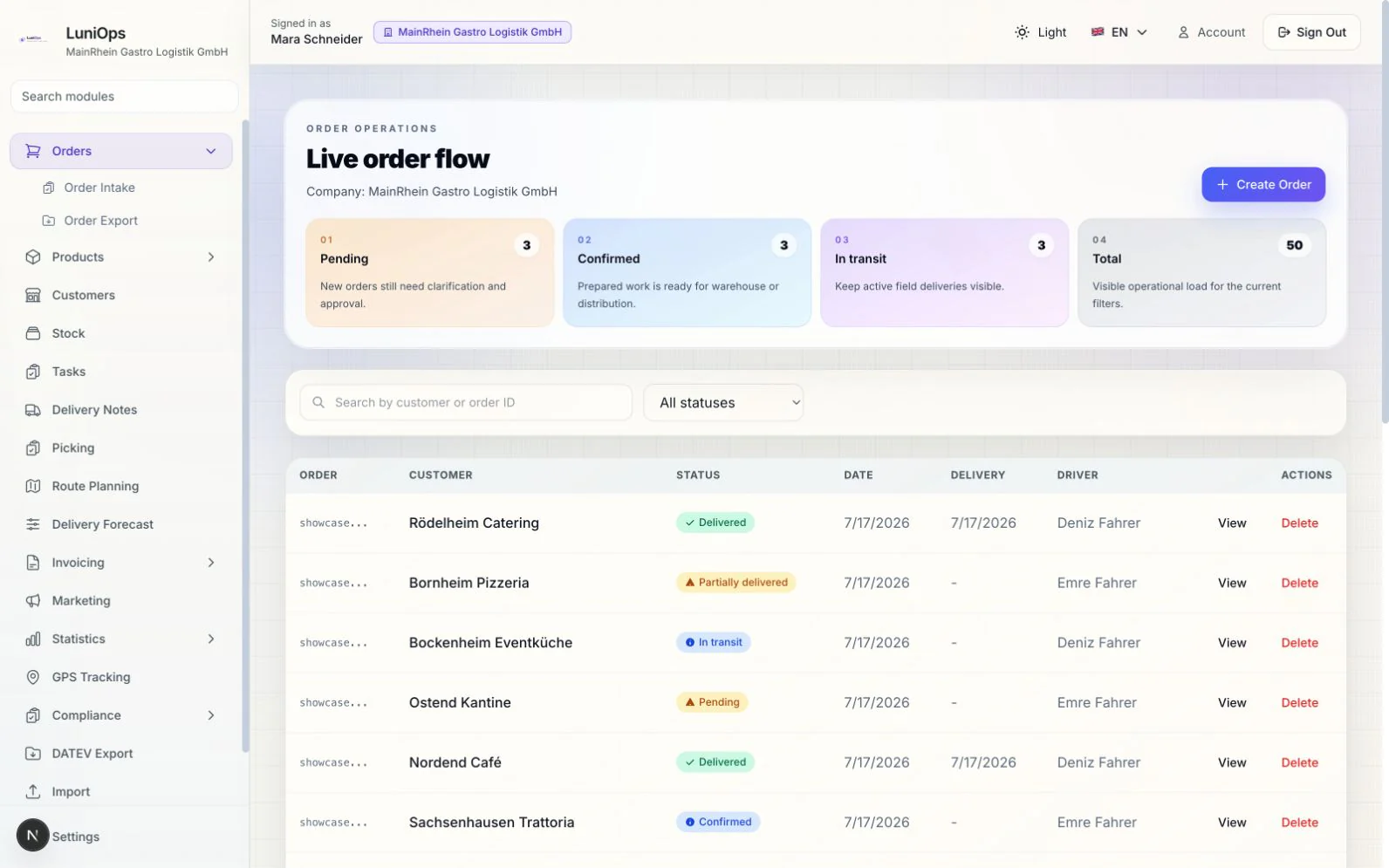
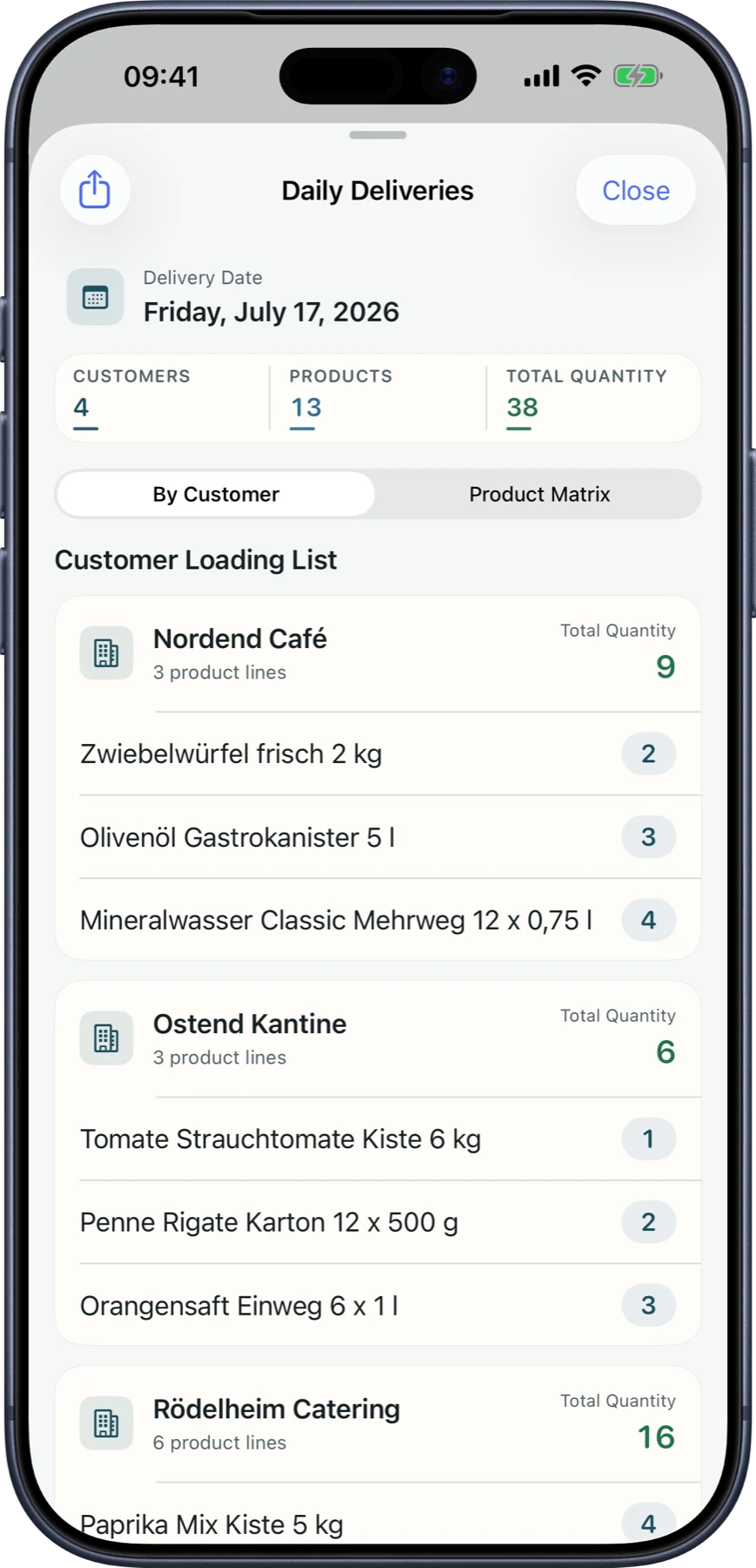
In the office, in the warehouse and on the road. One operation.
How LuniOps works
Information follows the work from team to team. See where each order stands and what happens next.
Bring offers and orders from the office, field sales and customer portal into the same workspace.
Turn orders into picking and loading tasks. Keep track of products, quantities and readiness.
Keep the delivery note, actual delivered quantities and proof of delivery with the same operation.
Carry delivery records into invoice preparation and accounting review.
Built around daily work
LuniOps is an operations platform for food wholesalers and distributors. It connects orders, picking, deliveries, invoice-ready records, and the customer portal across web, macOS, iPhone, and iPad in one continuous workflow. Office teams, warehouse staff, field representatives, and drivers work together in one multi-tenant system with role-based access.
FeaturesReview each customer’s price history by product while preparing an offer. Use previous records to inform your next price.
Track crates, bottles and other returnable containers by customer. Review container balances and previous deposit movements.
Customers see the products and prices available to them, place orders and follow deliveries and invoices through their own accounts.
Access and traceability
Set access for each team member. Share customer, order and financial information according to their responsibilities and permissions.
Append-only audit logging with field-level diffs so data changes stay traceable.
Generate machine-readable German e-invoice formats for review before production use.
Export structured invoice bundles for your accountant's DATEV handoff — clean, organized data instead of loose PDFs.
Updated Published by OzyCore GmbH
The web app keeps office, dispatch, and accounting productive in the browser, while macOS, iPhone, and iPad carry the same workflows across desk, warehouse, and route.

Native Android and Windows apps are in preparation. On Windows, LuniOps is already available today through the browser-based web app.
A practical starting point
Create your company workspace. If you would like a guided start, we can review your product and customer setup together in a demo.