Operational finance
Turn delivery facts into reviewable financial records
What does this LuniOps workflow do?
Connect delivered quantities with invoice preparation, corrections, payments, customer balances, bank reconciliation, incoming documents, and country-specific accounting handoff. Operational and financial status stay connected while finalized records and external accounting responsibilities remain explicit. The goal is traceable preparation and review, not an unsupported compliance promise.
Updated Published by OzyCore GmbH
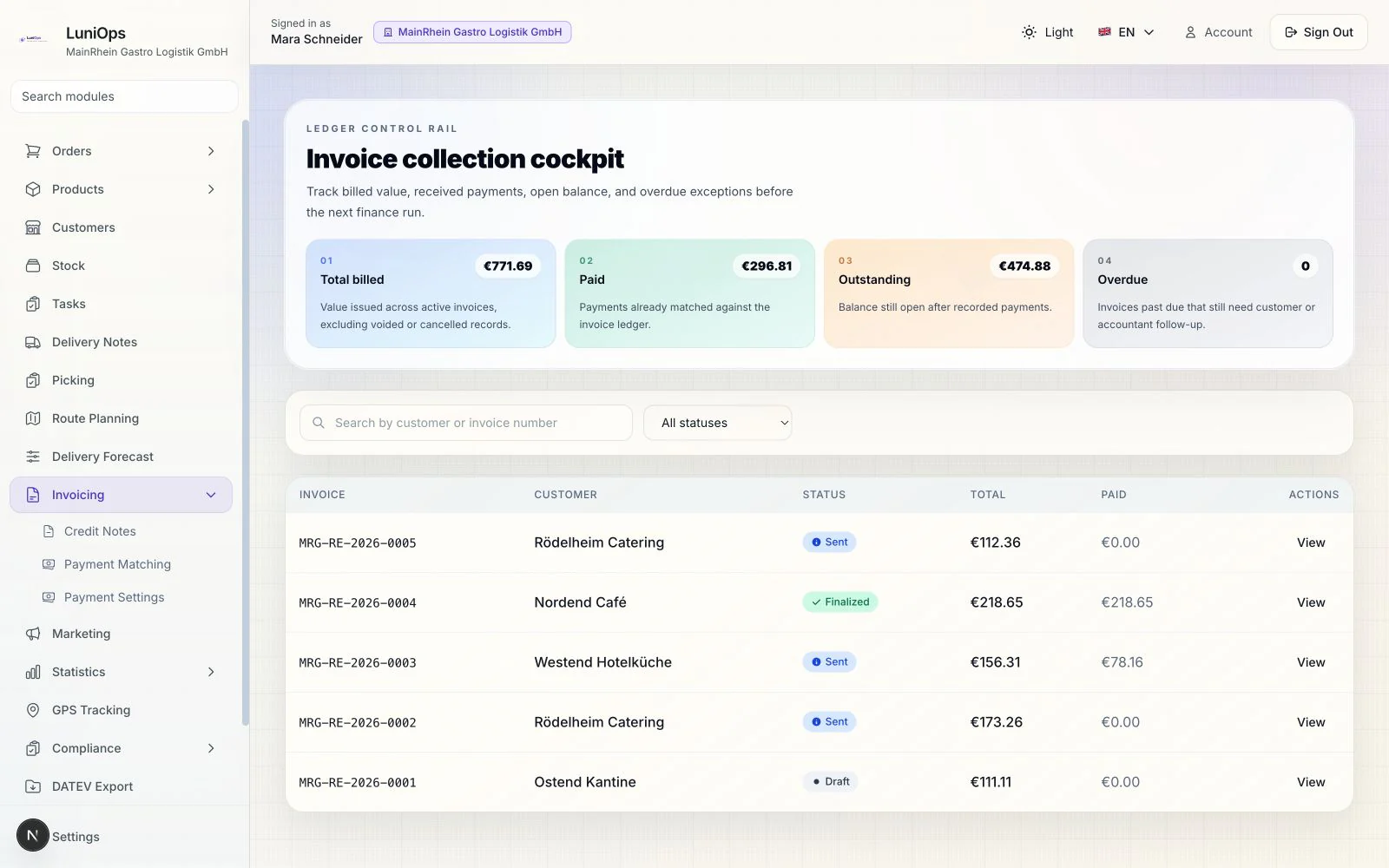
Prepare from evidence
Delivered quantities, prices, tax decisions, signatures, and delivery-note context provide the basis for invoice preparation.
Follow the open balance
Payments, allocations, open items, reminders, disputes, corrections, and customer ledger movements remain reviewable.
Hand off by country
German DATEV and e-invoice preparation, Turkish e-document provider workflows, and general exports are separated by region and setup status.
What the finance workflow improves
The goal is traceable preparation and review, not an unsupported compliance promise.
Less rekeying
Order and delivery facts can continue into invoice preparation.
Clear settlement status
Invoices, payments, allocations, disputes, and corrections stay distinct.
Reviewable history
Important changes and handoff artifacts remain traceable for staff and advisers.
Regional boundaries
Germany and Turkey use separate tax, document, and accounting-review paths.
Typical invoice-to-payment flow
- 1Review delivery facts and prepare the invoice with the correct customer, lines, tax, and document settings.
- 2Finalize the document and produce the configured PDF or structured handoff artifact.
- 3Record or import payment information and review suggested bank matches before allocation.
- 4Track the remaining balance, correction, dispute, reminder, or accounting handoff as separate states.
Does a PDF automatically prove e-invoice delivery?
No. Document output, provider submission, delivery status, payment status, and accounting posting remain separate records.
Are bank matches posted automatically?
Suggestions are review-oriented; an authorized user confirms the allocation workflow.
Is country setup required?
Yes. Tax, numbering, provider, accounting, and legal settings must be reviewed before production use.
Related feature pages
Review this workflow live
See how this LuniOps capability fits your orders, deliveries, customers, and invoicing workflow.
Request a demo