Warehouse execution
Move approved orders from picking to a ready vehicle
What does this LuniOps workflow do?
Give warehouse and dispatch teams clear quantities, package units, barcode and lot context, loading status, and capacity information before departure. Picking and loading connect order accuracy with a departure-ready delivery plan. The departure check becomes a shared process instead of an informal handoff.
Updated Published by OzyCore GmbH
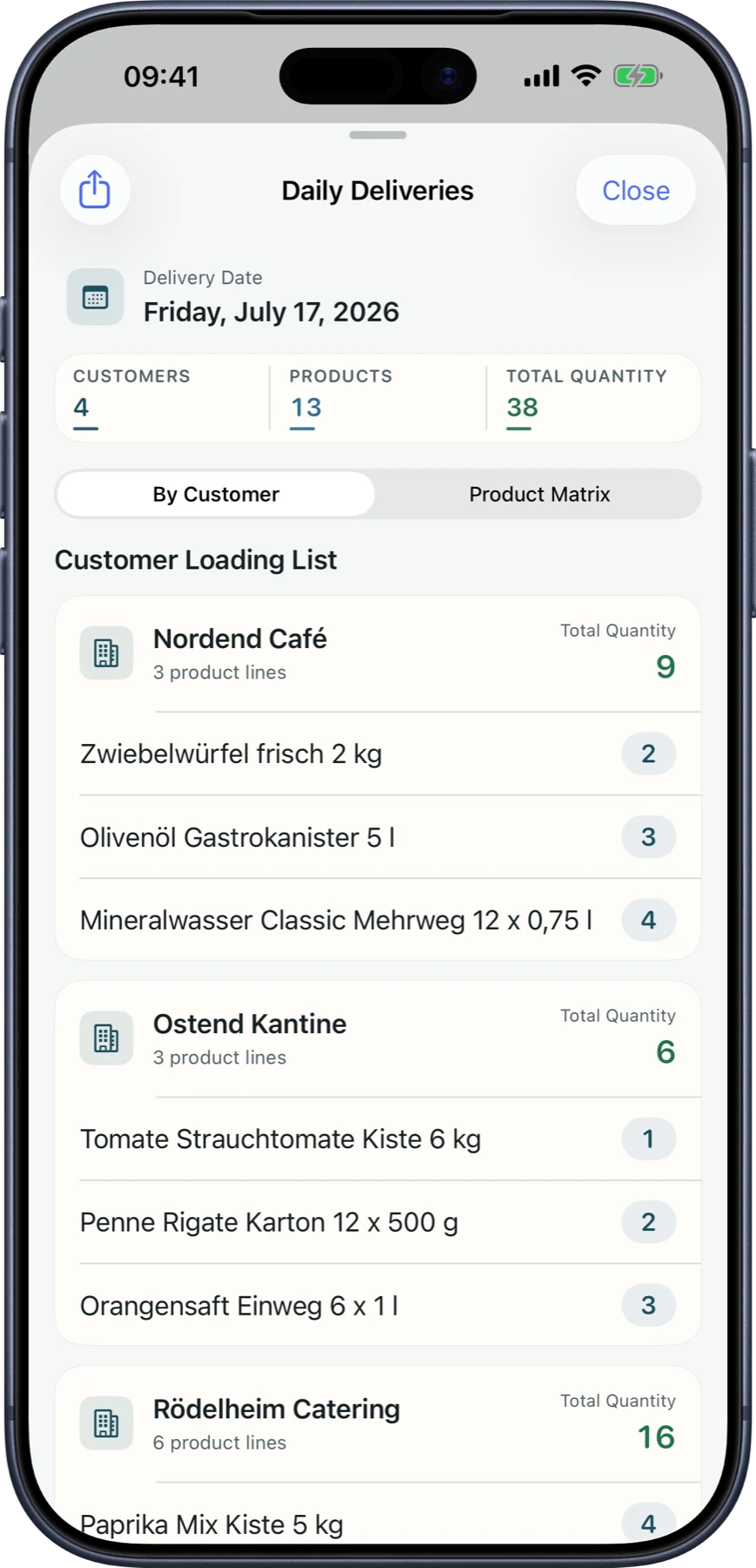
Create clear pick work
Approved order lines become actionable quantities with customer, product, unit, lot, and exception context.
Verify before loading
Barcode-aware checks and discrepancy handling help identify wrong or missing items before the route starts.
Respect vehicle reality
Weight, volume, pallet demand, temperature zones, and planned empty returns support a more realistic load review.
What warehouse and dispatch teams gain
The departure check becomes a shared process instead of an informal handoff.
Fewer picking mismatches
Expected and confirmed quantities stay visible per order line.
Lot context at the right time
Lot and expiry information can be selected during physical preparation.
Clear loading readiness
Dispatch can see which work is open, checked, or ready for delivery.
Return capacity included
Planned crates, pallets, and other empties can be considered alongside outbound load.
Typical warehouse workflow
- 1Approved orders are grouped into picking work.
- 2Warehouse staff confirm products, quantities, barcodes, and lots where required.
- 3Exceptions are reviewed and completed work is marked ready for loading.
- 4Dispatch reviews vehicle, route, temperature, and capacity context before departure.
Is barcode hardware mandatory?
No. Barcode checks can support the workflow, while the exact device setup is agreed for the pilot.
Can lots and expiry dates be used?
Yes. Lot, expiry, and FEFO-related product context can be included where the assortment requires it.
Does LuniOps replace every warehouse system?
No. It covers distribution-oriented picking and loading; highly automated warehouse requirements should be scoped separately.
Related feature pages
Review this workflow live
See how this LuniOps capability fits your orders, deliveries, customers, and invoicing workflow.
Request a demo