Team coordination and insight
Connect daily work with the numbers managers need
What does this LuniOps workflow do?
Assign operational and field tasks, follow visit plans and targets, and review sales, customer, product, stock, finance, route, and risk views from shared records. Tasks make ownership visible; reports show what the completed work means for the operation. Teams see what needs attention while managers retain a practical overview of progress and exceptions.
Updated Published by OzyCore GmbH
Assign concrete work
Owners, priorities, deadlines, comments, attachments, visit context, and board status help teams coordinate follow-up.
Plan recurring activity
Visit frequencies, route stops, collection follow-ups, expiry work, and sales targets can become visible operational commitments.
Review performance
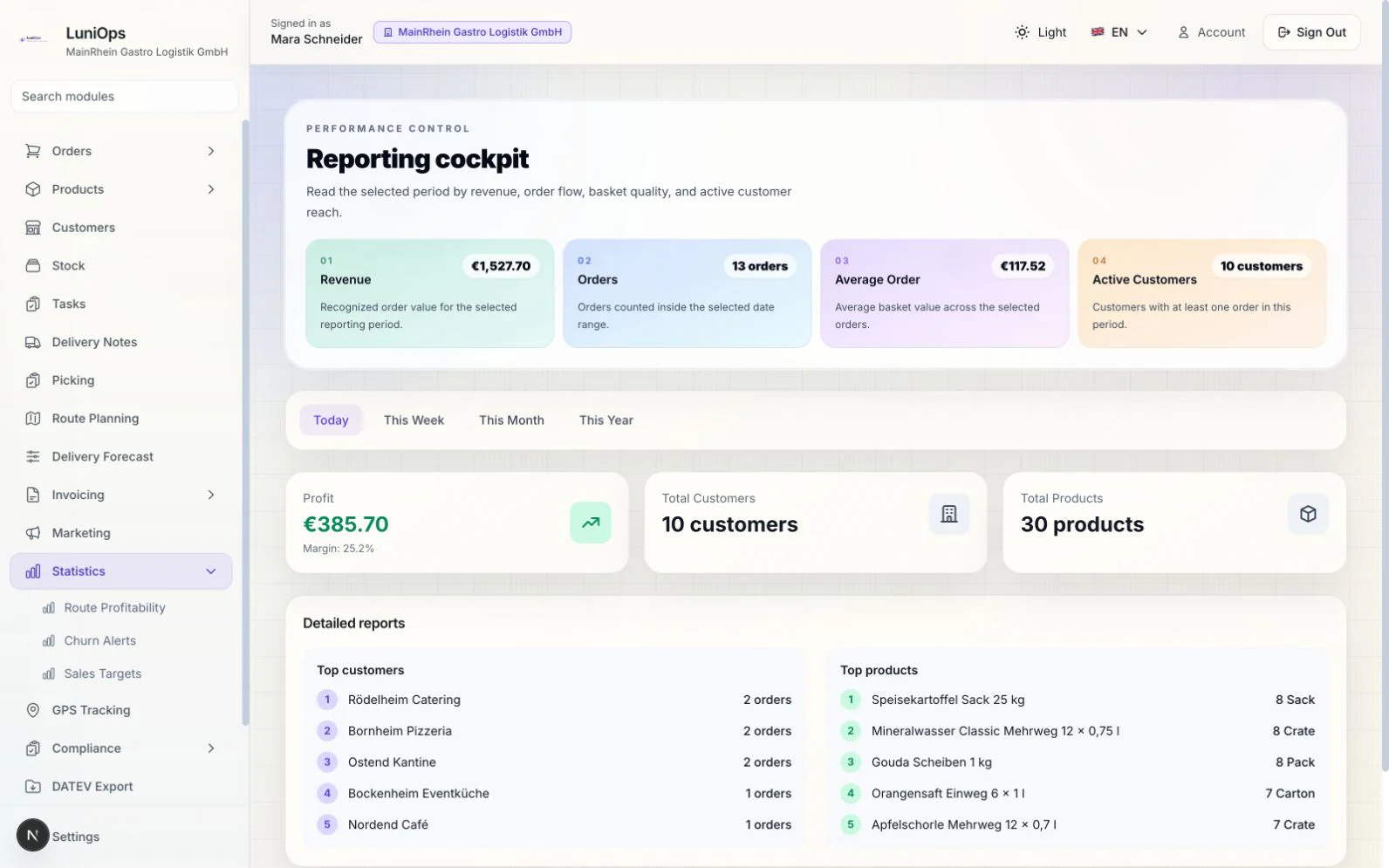
Dashboards and reports combine relevant sales, product, customer, margin, receivables, stock, route, target, and risk indicators.
From action to management view
Teams see what needs attention while managers retain a practical overview of progress and exceptions.
Clear ownership
Open work has an assignee, priority, date, and status.
Consistent follow-up
Visits, collections, complaints, stock risks, and other actions can stay on a shared queue.
Relevant indicators
Different roles can focus on the operational views that support their decisions.
Traceable context
A task or indicator can be reviewed alongside the customer, order, delivery, invoice, or product that created it.
Typical management loop
- 1Create planned or event-driven work and assign an owner and deadline.
- 2Team members update progress, comments, evidence, and outcomes during daily operation.
- 3Managers review overdue work, targets, trends, exceptions, and risk signals.
- 4Follow-up tasks or operational changes are created from the reviewed context.
Are reports identical for every role?
No. Access and relevance depend on the enabled modules, role, and permissions.
Can tasks be linked to operational records?
Yes. Tasks and visits can carry customer, order, delivery, invoice, product, or stock context where applicable.
Does a dashboard replace business review?
No. It makes current records and exceptions easier to inspect; targets and decisions remain the team's responsibility.
Related feature pages
Review this workflow live
See how this LuniOps capability fits your orders, deliveries, customers, and invoicing workflow.
Request a demo